Plain words in. Real answers out.
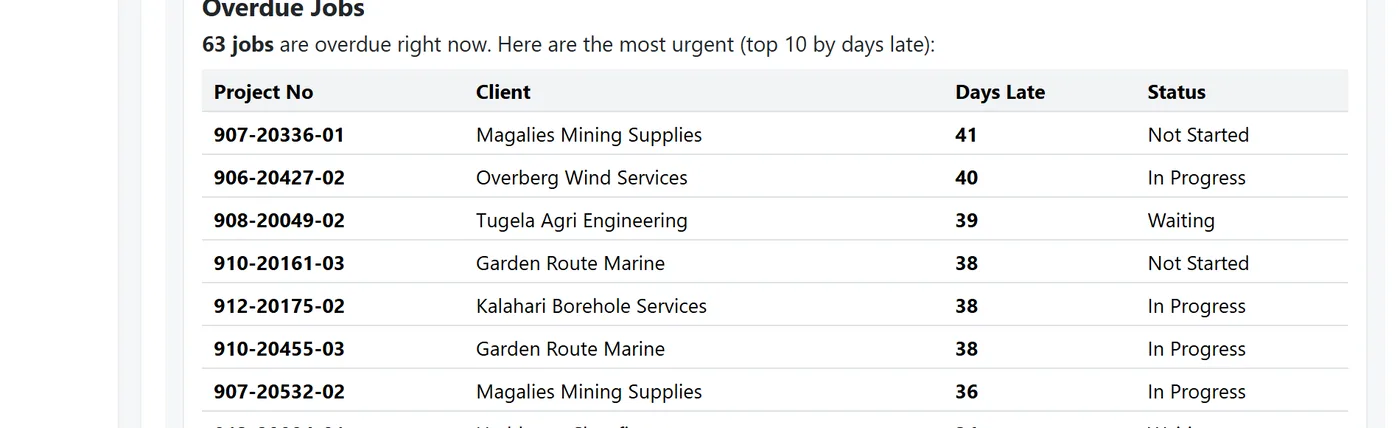
"Which jobs are overdue right now?" The answer comes from your live data, with links to the jobs, in the same numbers your dashboard shows.
- An assistant for each part of the shop
- Figures worked out by ShopFloor itself, never guessed
- It only sees what the person asking could open
It drafts. You decide.
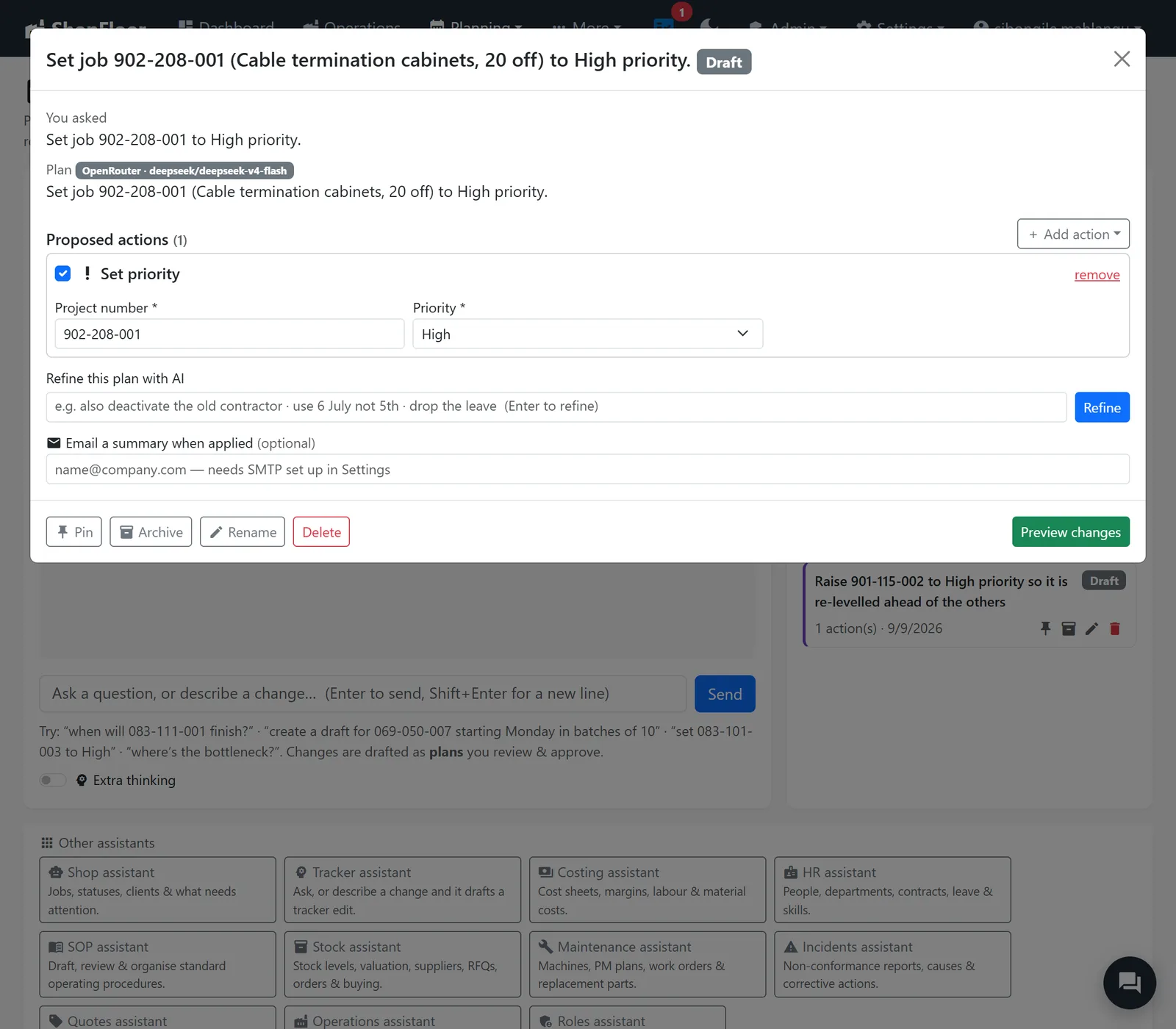
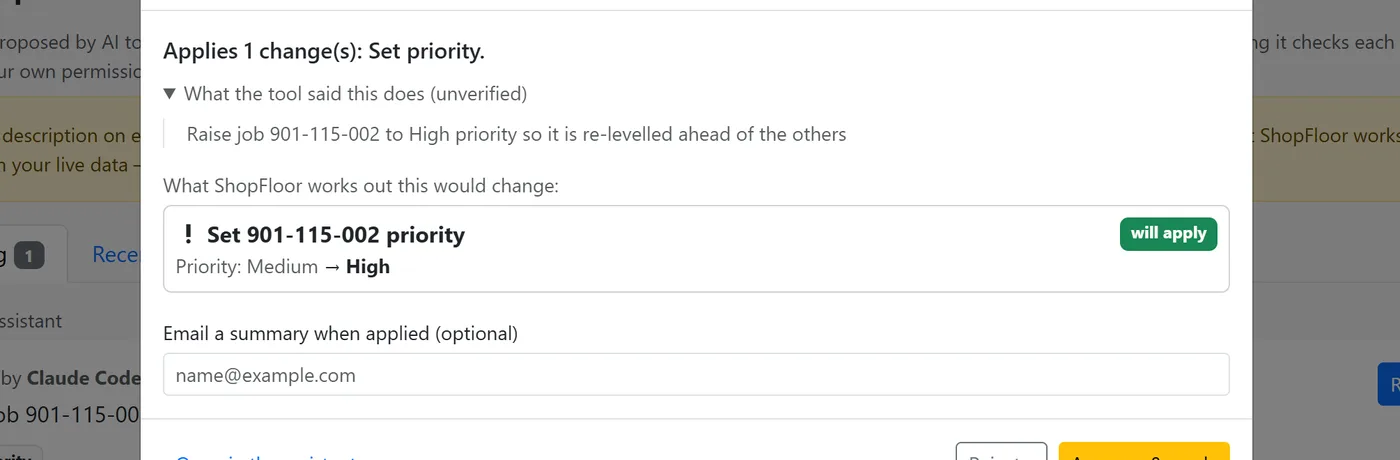
"Make that job high priority." The assistant writes a plan. You see exactly what will change, and apply it or not. It can only do what you could do by hand.
- Every action shown as before and after
- Refine the plan in words before you apply it
- Nothing is written until a person approves
On paper. On a schedule.
Ask for a report and get a PDF built from checked figures. Ask for it every week and it arrives every week.
Reports on request
The assistant drafts the brief, you adjust it, ShopFloor builds the PDF from its own numbers.
Every Monday at seven
Say when and who; it is emailed on time, run as the person who approved it.
Relative periods
"Last week" and "this month" mean the right dates every time it runs.
Already use Claude? Connect it.
ShopFloor speaks MCP, so an outside AI tool can work with your shop, acting as one named person and never more.
Acts as you
The connection is one named user, with that person's permissions, recomputed on every request.
Only the areas you tick
Choose a level and the modules it may see. A connection never widens access.
Your approval page
Anything it drafts waits on your own Approvals page. Only you can approve it.
Off until you switch it on
It ships switched off, and there is a kill switch.
What the assistants will never do.
Every assistant, every report, every connection: bounded by your permissions and approved by a person.
Assistants read and draft. Only a person applies a change.
The same permissions gate the assistant as the screen.
Numbers come from ShopFloor's own calculations, or not at all.
If something is not available, it says so plainly, without saying why.
Which AI provider does it use?
The shop's own provider key, set in Settings. Without one there is simply no AI, and everything else works.
Can it run our own SQL or reach the database directly?
No. Assistants use read tools, each with its own permission. Raw database queries are switched off for everyone by default.
Want to see it on your own jobs? Contact us for more details, and we'll walk you through it in a short online meeting.