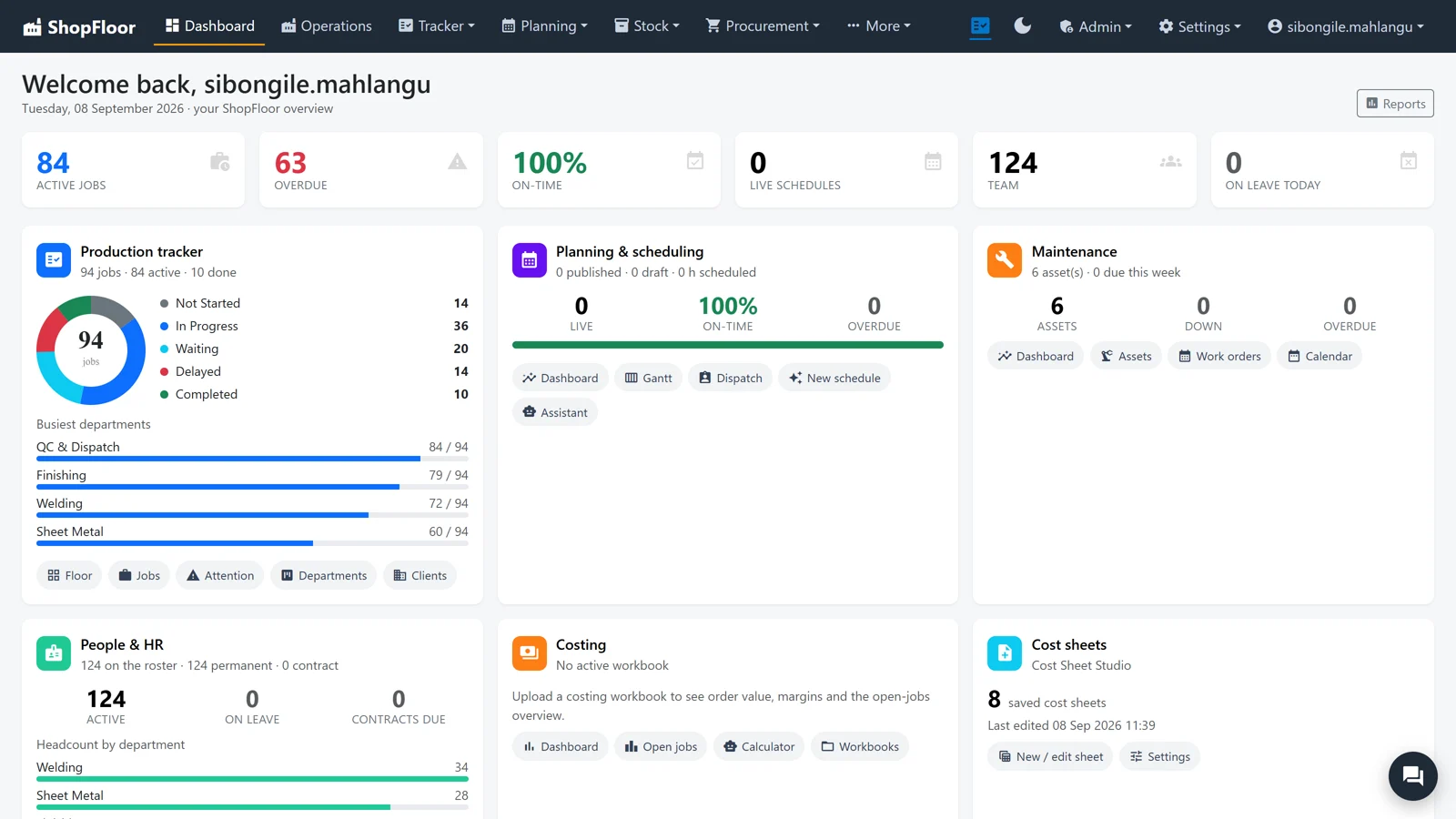
The whole shop, on one screen.
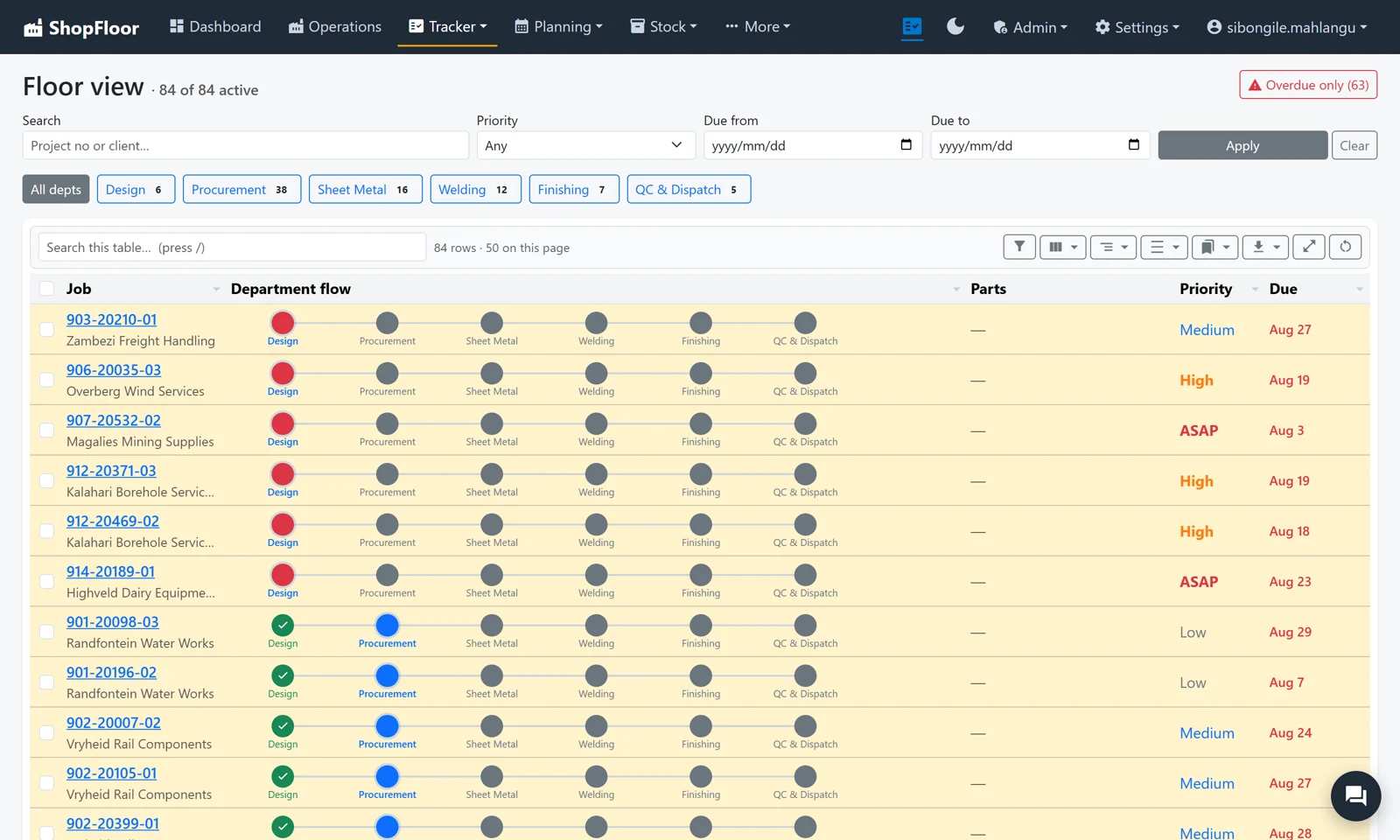
A row per job, a dot per department. Where the colour stops is where the job is standing, and the reason it is stuck is written on the card.
- The dashboard: six numbers and a card per module
- Department boards with the reason a job is not moving, in red
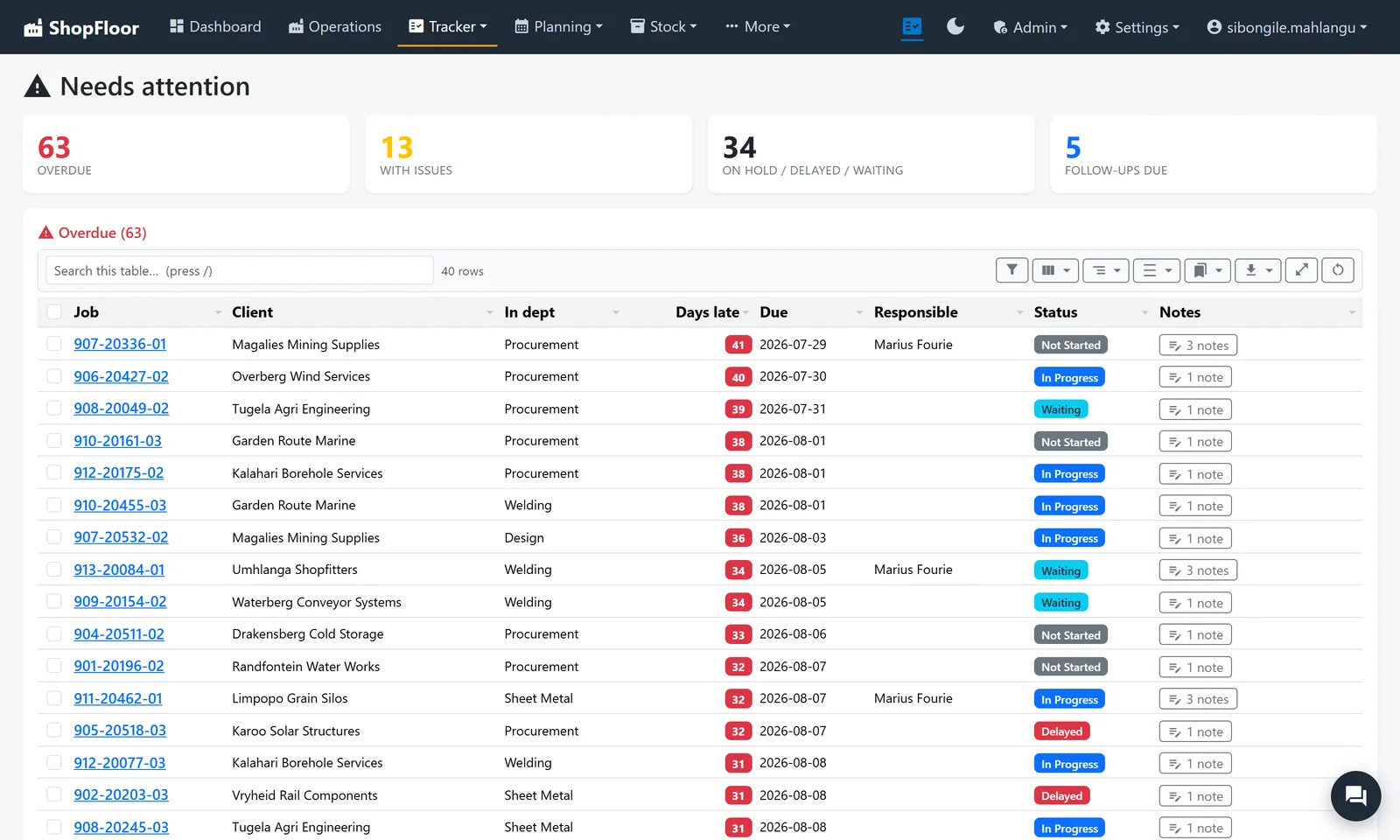
- Needs attention: your Monday meeting agenda, worst first
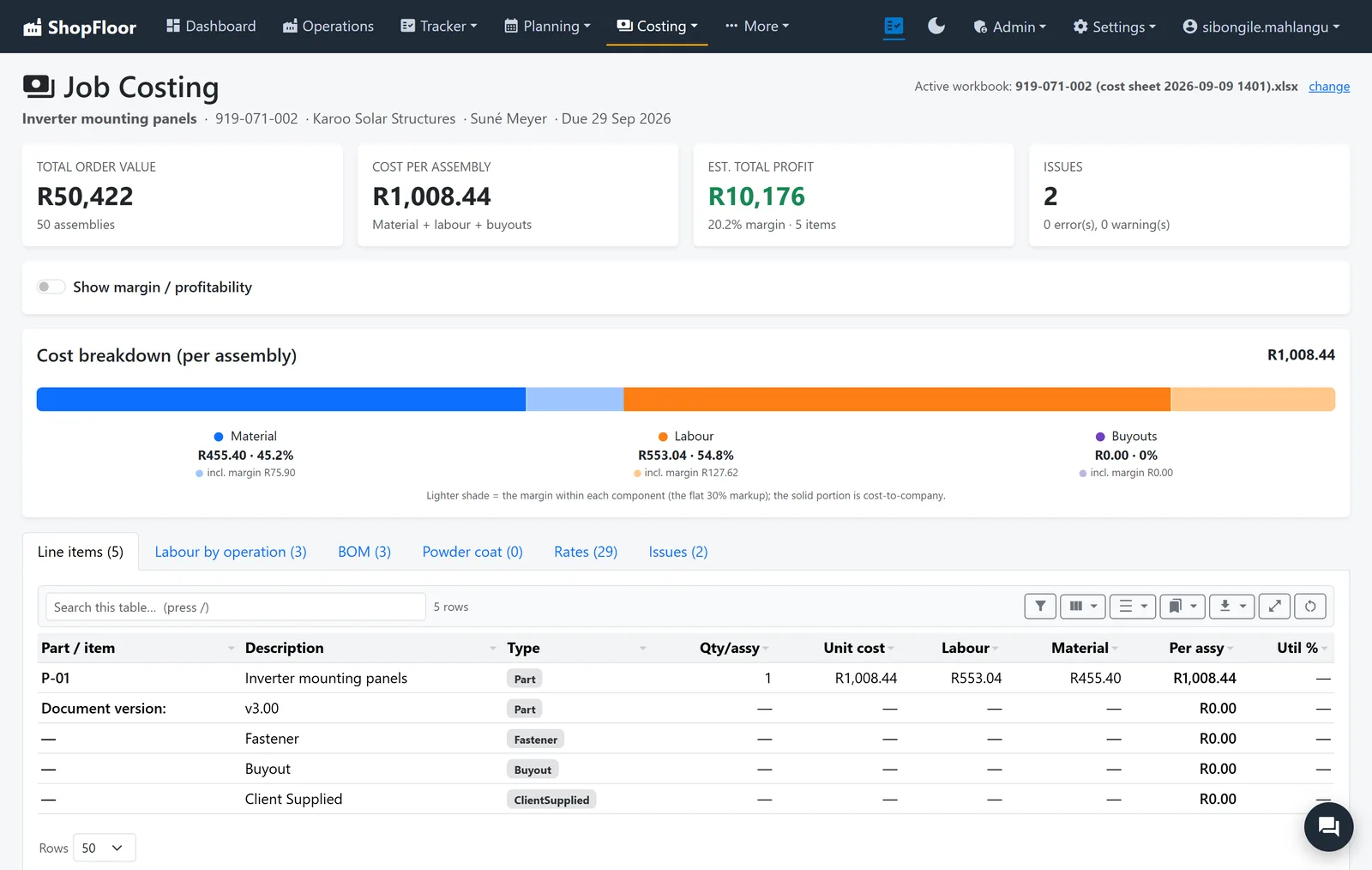
Know the margin before you name a price.
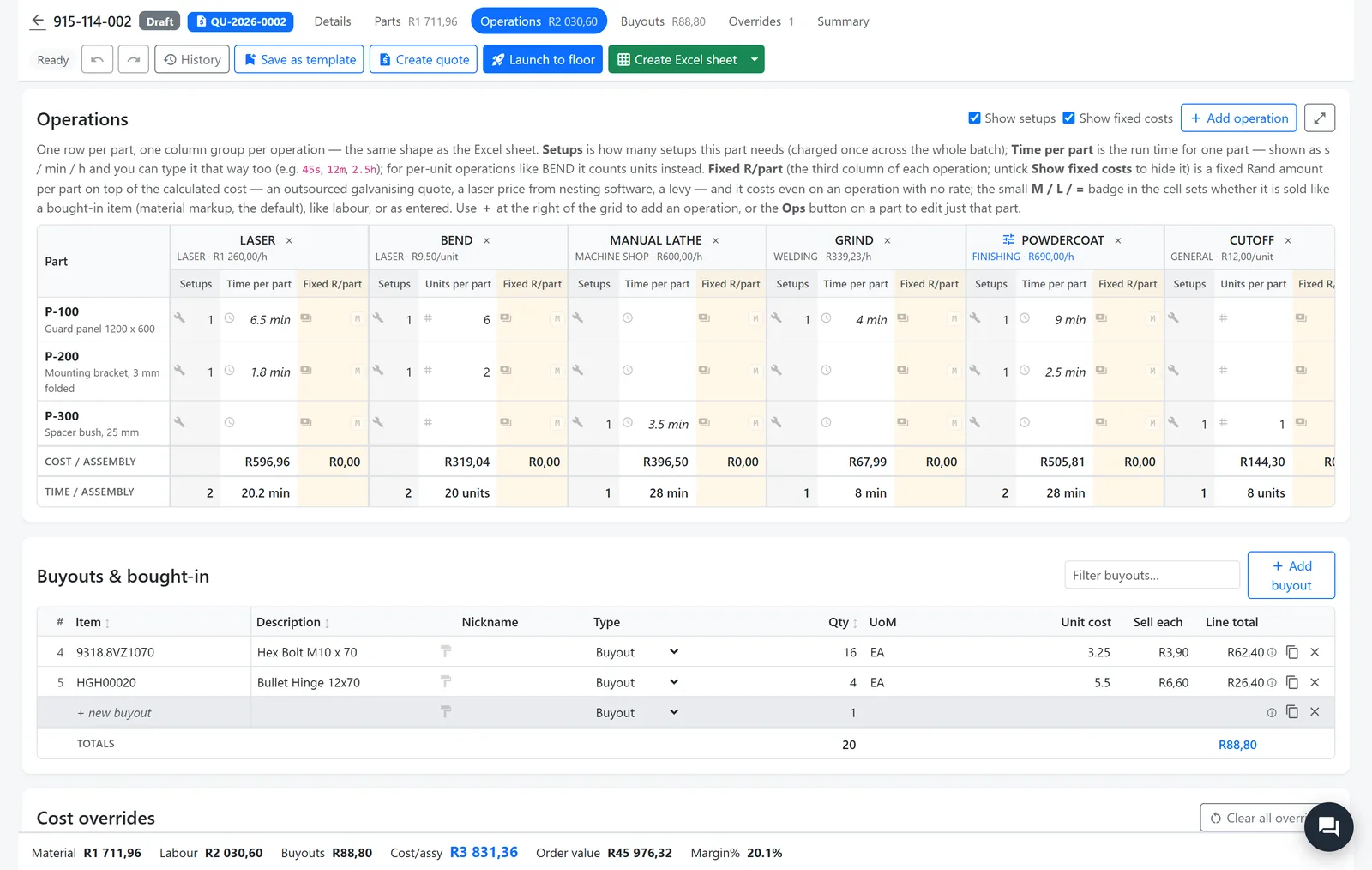
The Cost Sheet Studio puts parts down the side, operations across the top and your rate card underneath. Cost is known before sell, every time.
- Rates at cost to company; labour and material carry their own markups
- Outsourced steps take a fixed Rand per part
- Saved as you type, with restore points
- Draft until you publish, so nobody prices from a half-finished sheet
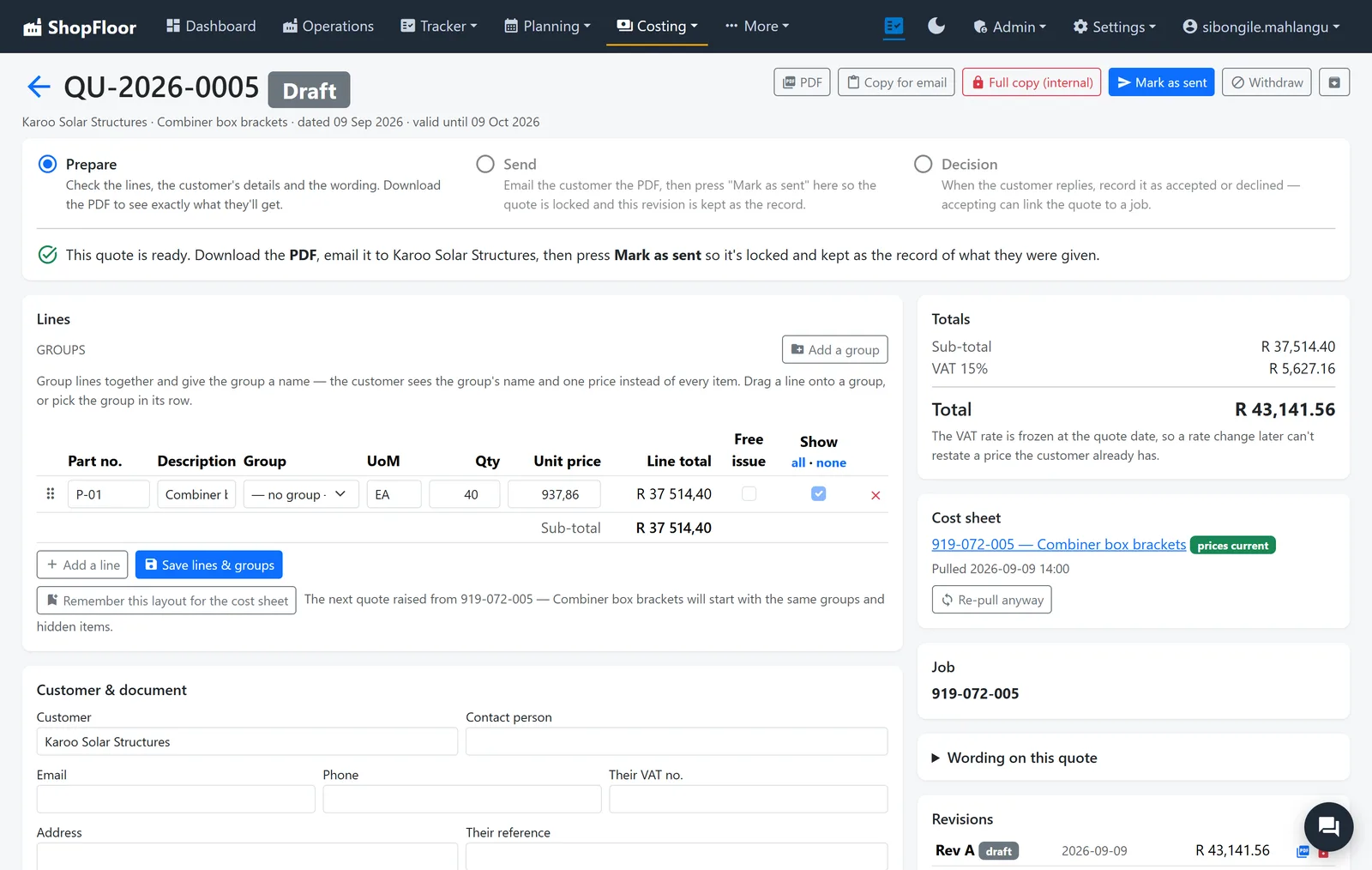
Quote fast. Never leak your cost.
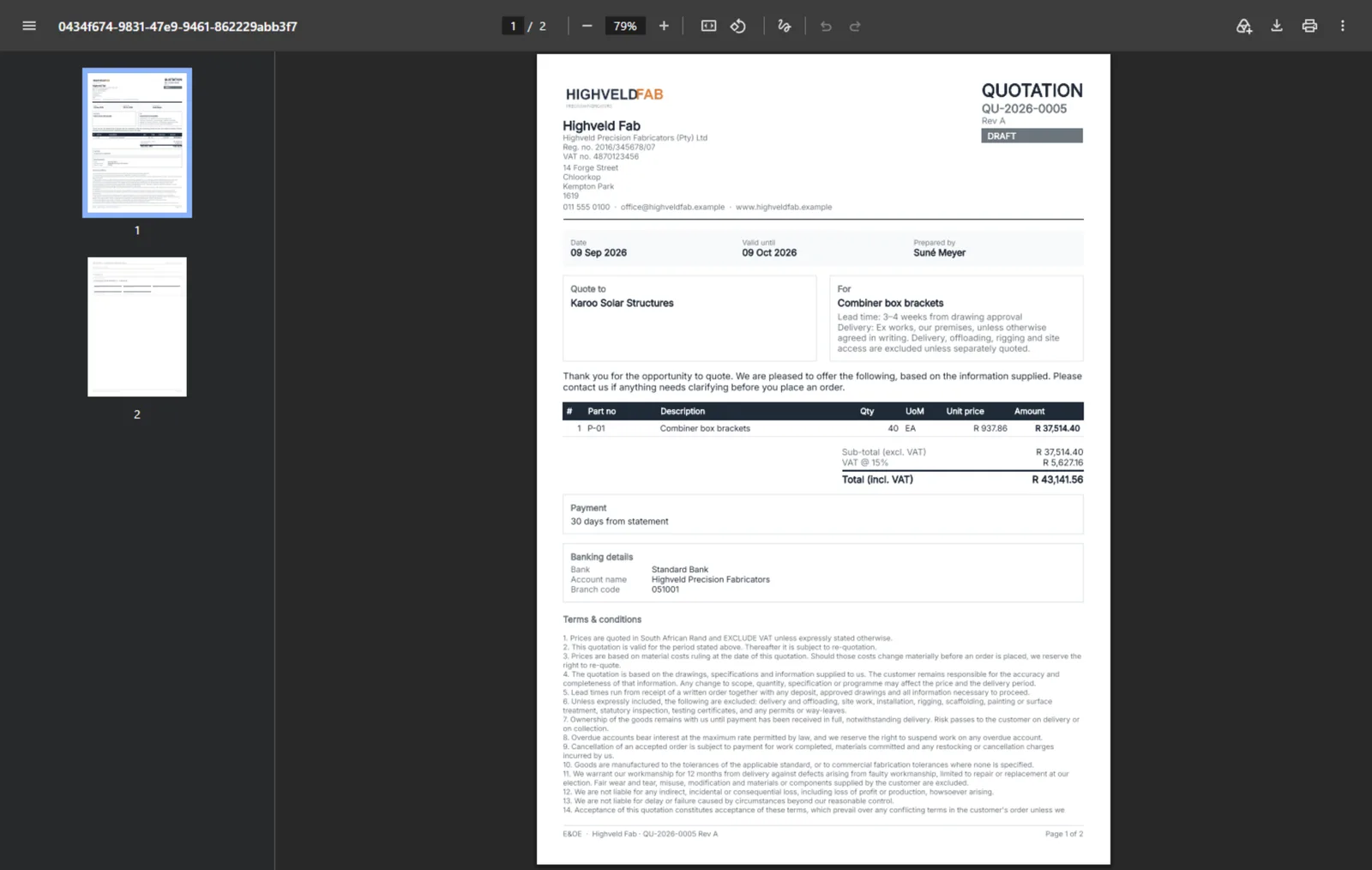
A quote is built from the cost sheet. Group lines, set the wording, download the PDF, mark it sent, and record the decision.
- The customer document cannot carry cost, markup or margin
- Every revision kept as sent; stale prices flagged
- South African trade wording and VAT out of the box, editable per quote
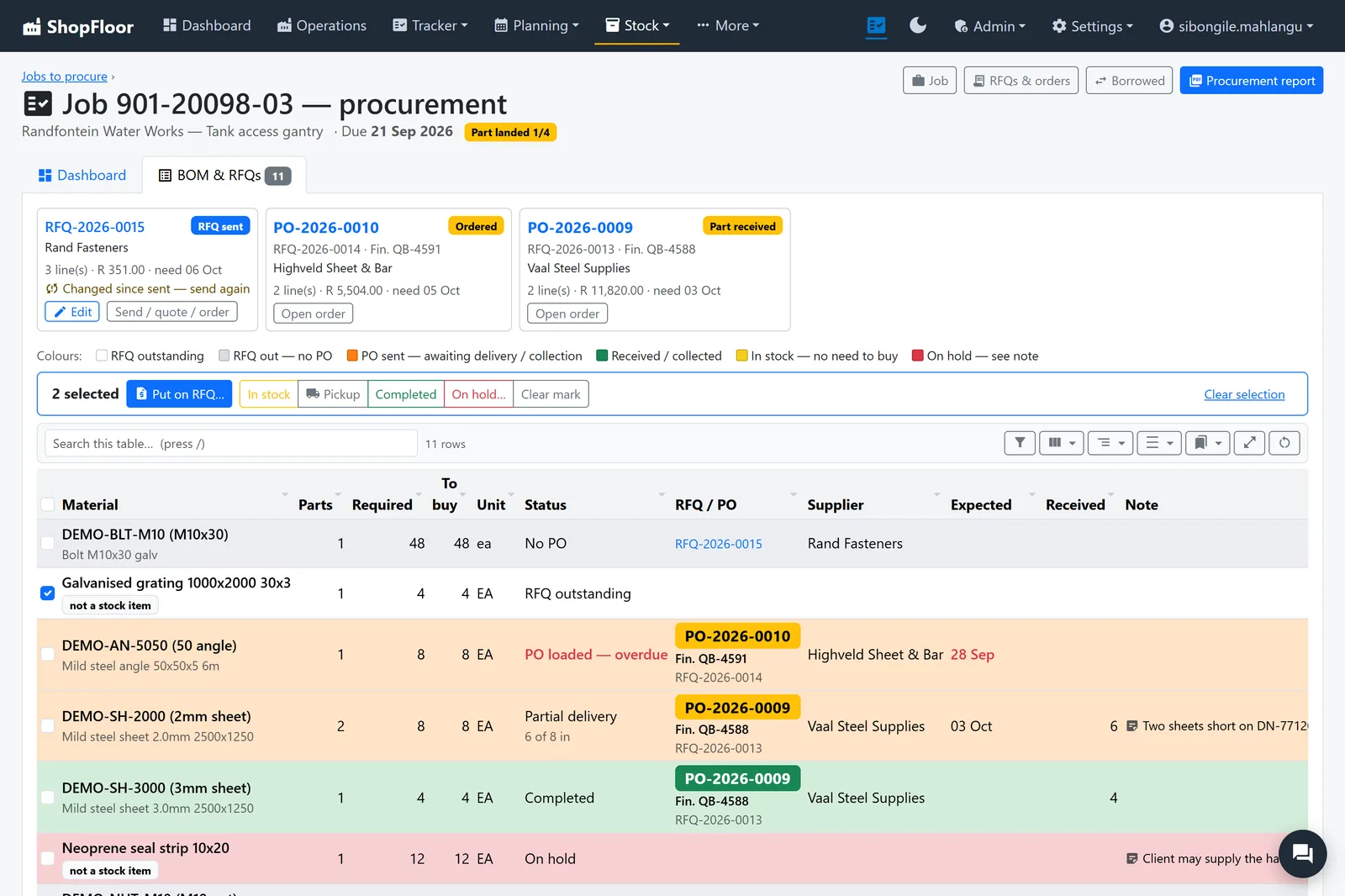
No job waits for steel.
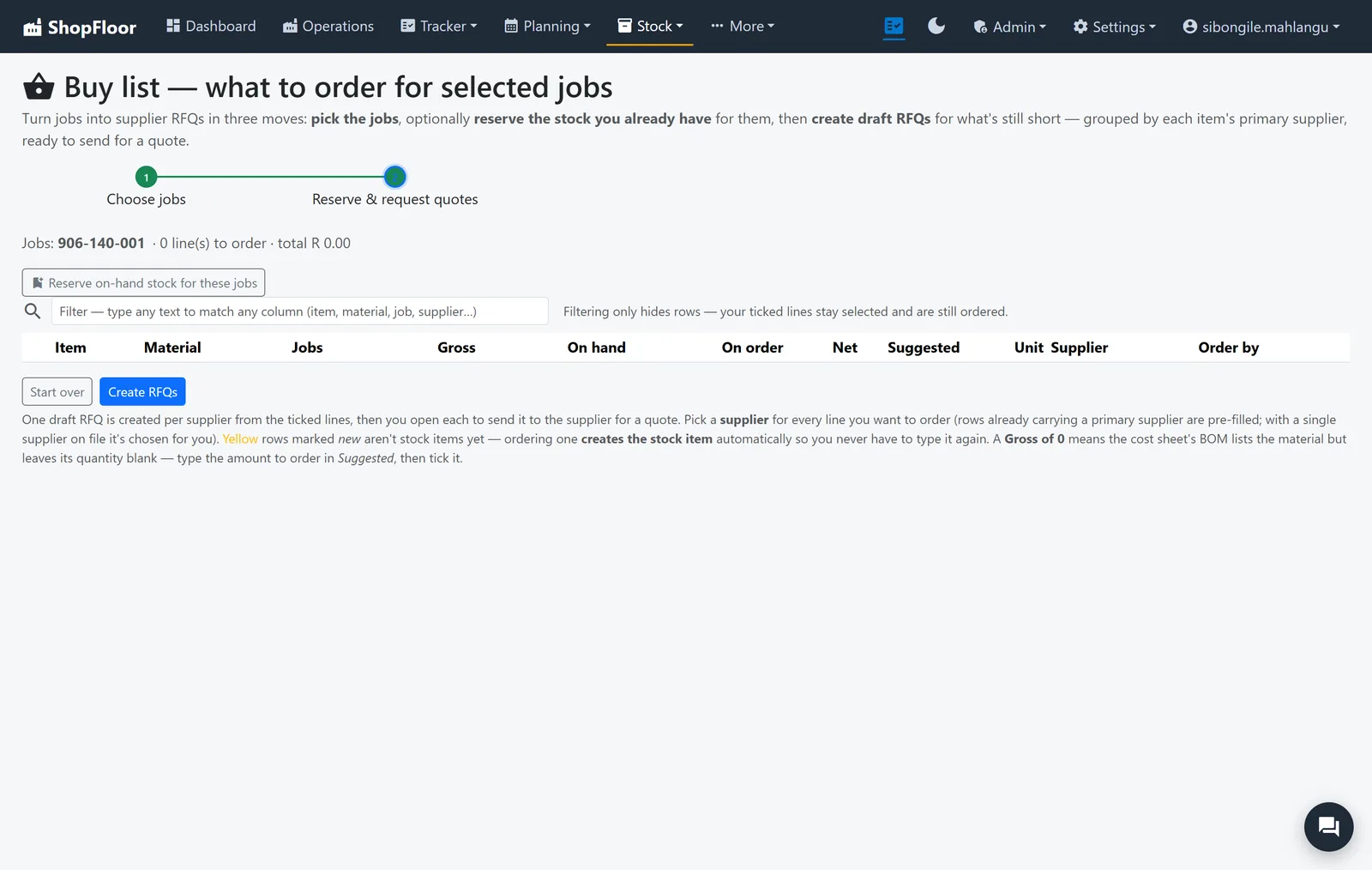
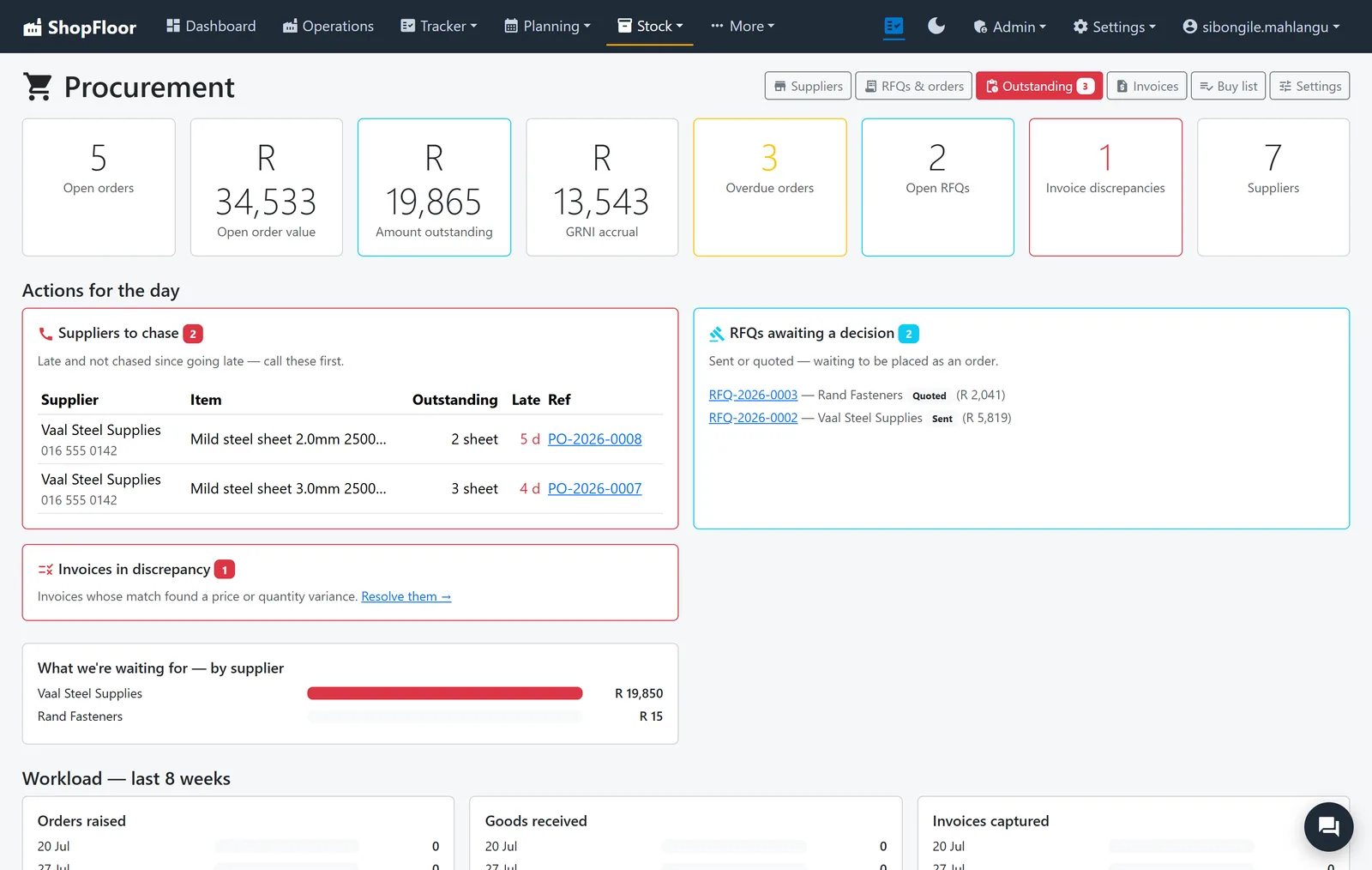
The buy list comes from your jobs. Reserve the stock you already hold, request quotes for what is short, and follow every line to the delivery.
- RFQs, orders, deliveries and invoices, per supplier
- One colour-coded board per job: outstanding, ordered, late, in
- Suppliers to chase and RFQs to decide, at the top of the day
Stock you can count on.
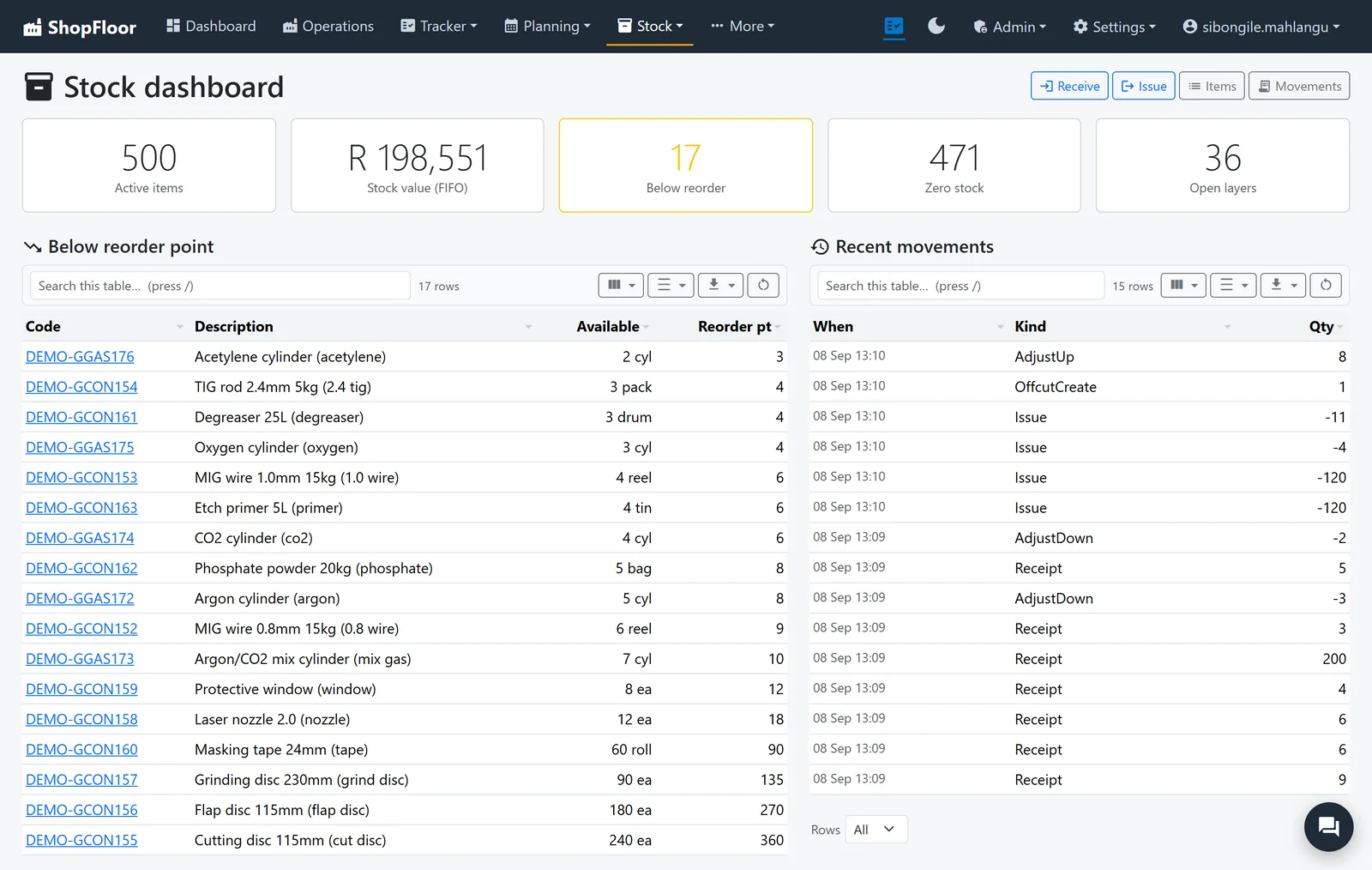
One ledger for every receipt, issue and adjustment, valued first-in, first-out, so the value on the screen is the value on the rack.
- Offcuts recorded as stock, so they get used
- Below-reorder list and stock counts
- Allocations hold material for the job that needs it
- Invoices matched to the order and the delivery
Plans that hold.
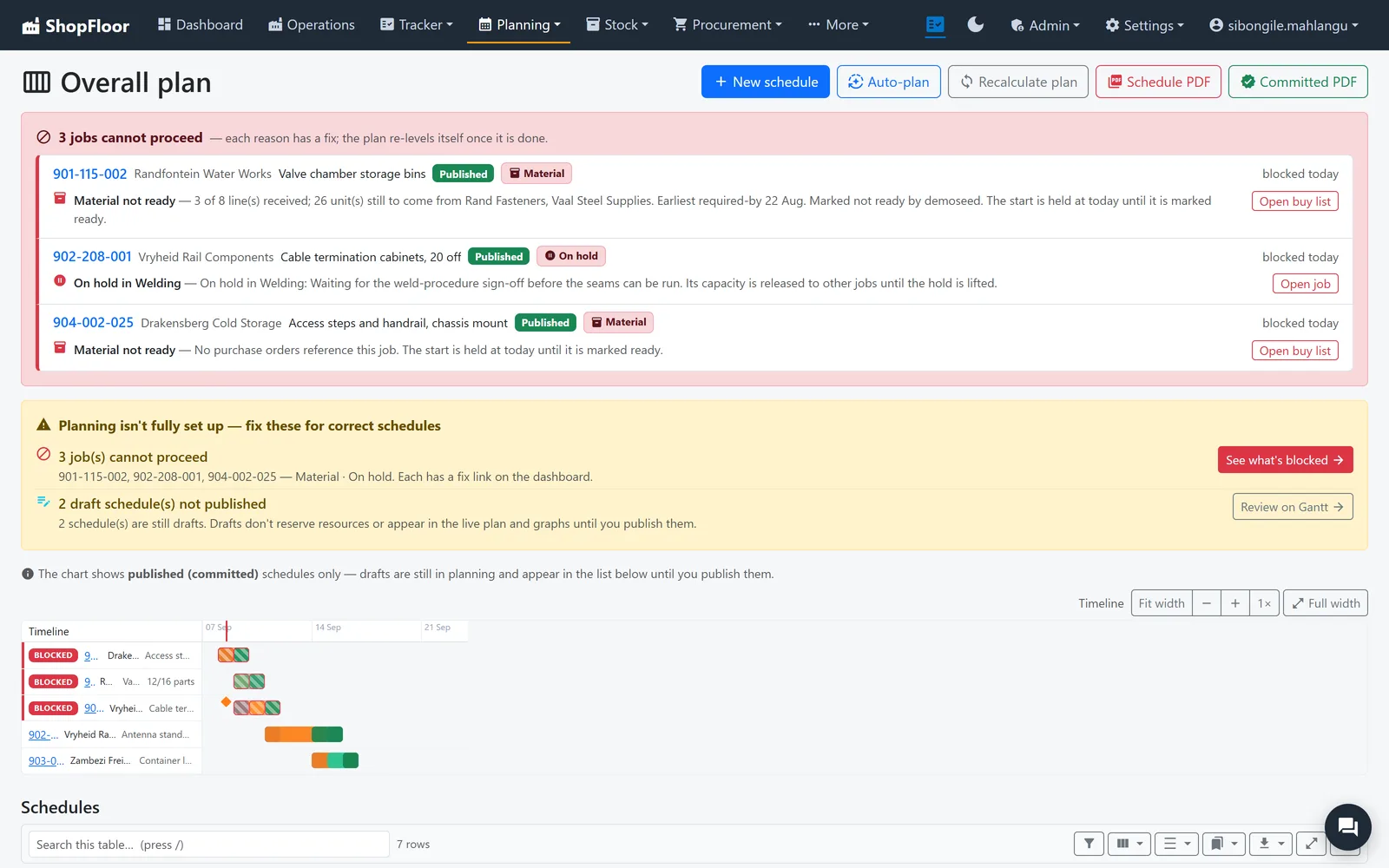
A finite-capacity plan against real people and real machines. It cannot promise work to someone on leave, or to a machine that is down for service.
- Only people qualified for an operation are given it
- Blocked jobs say why: material, hold, waiting
- Drafts stay private until you publish
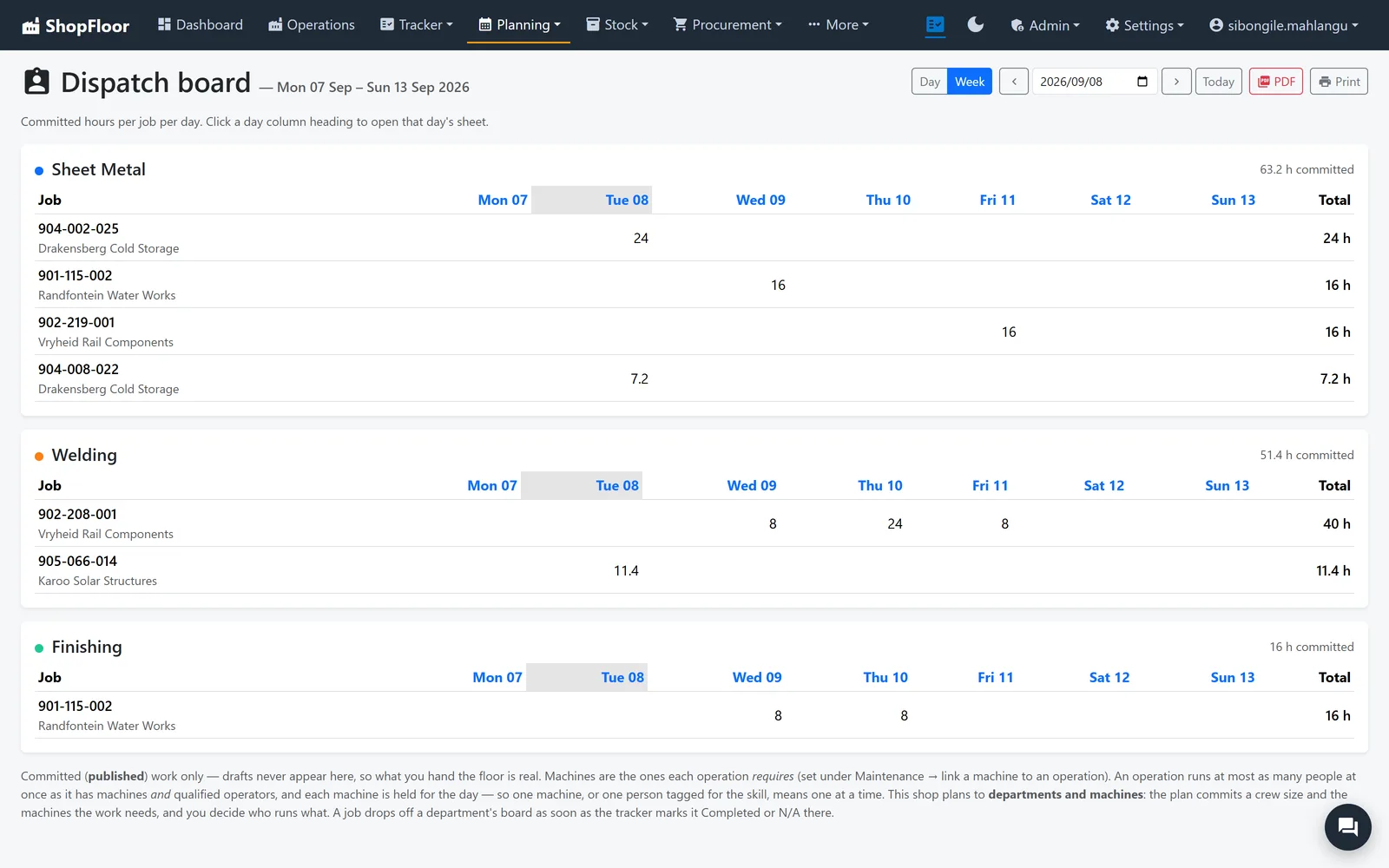
- A dispatch board per department for the week
Every part, every step.
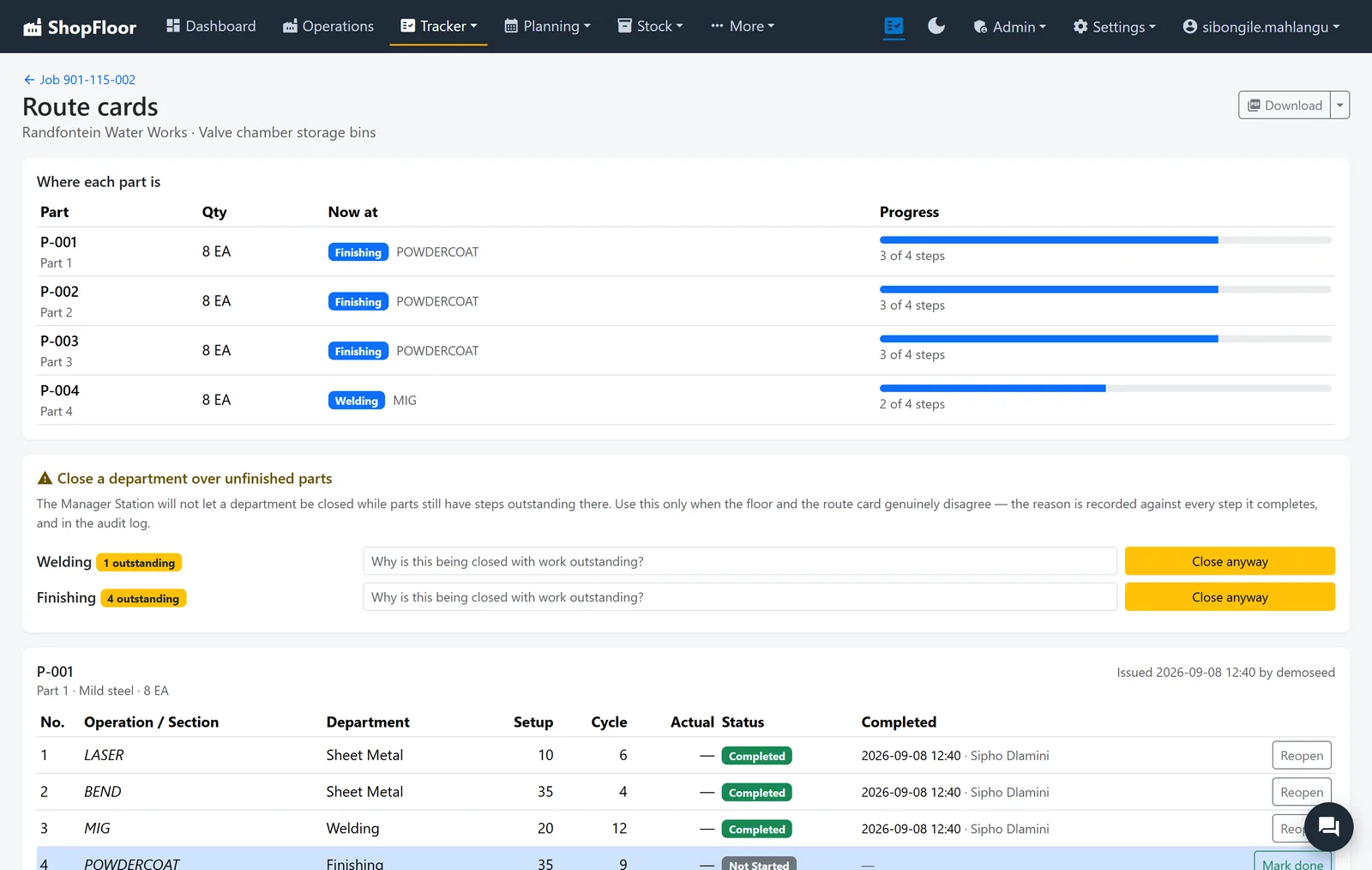
Launch a cost sheet to the floor and each part gets its own route. Parts move independently, so one late bracket never hides the rest of the job.
- A draft route is invisible to the floor until launched
- Re-launching keeps the progress already made
- A department cannot be closed on the floor with parts outstanding
- Printable route cards to travel with the work
Problems get a cause and an owner.
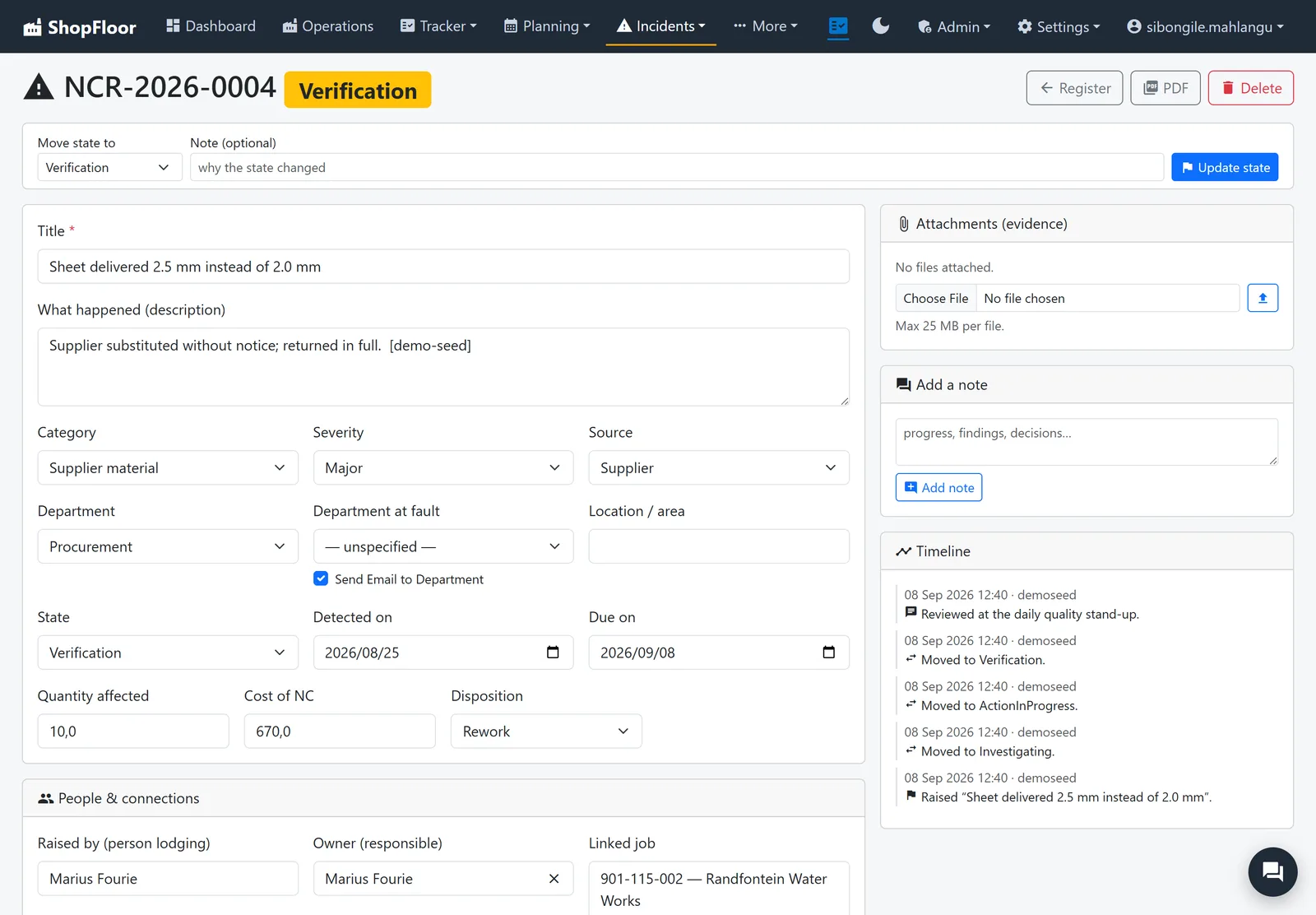
Non-conformances are raised where they happen, with the people, machines and photos involved, and followed through to a disposition. Procedures stay controlled.
- NCR register, dashboard and monthly report
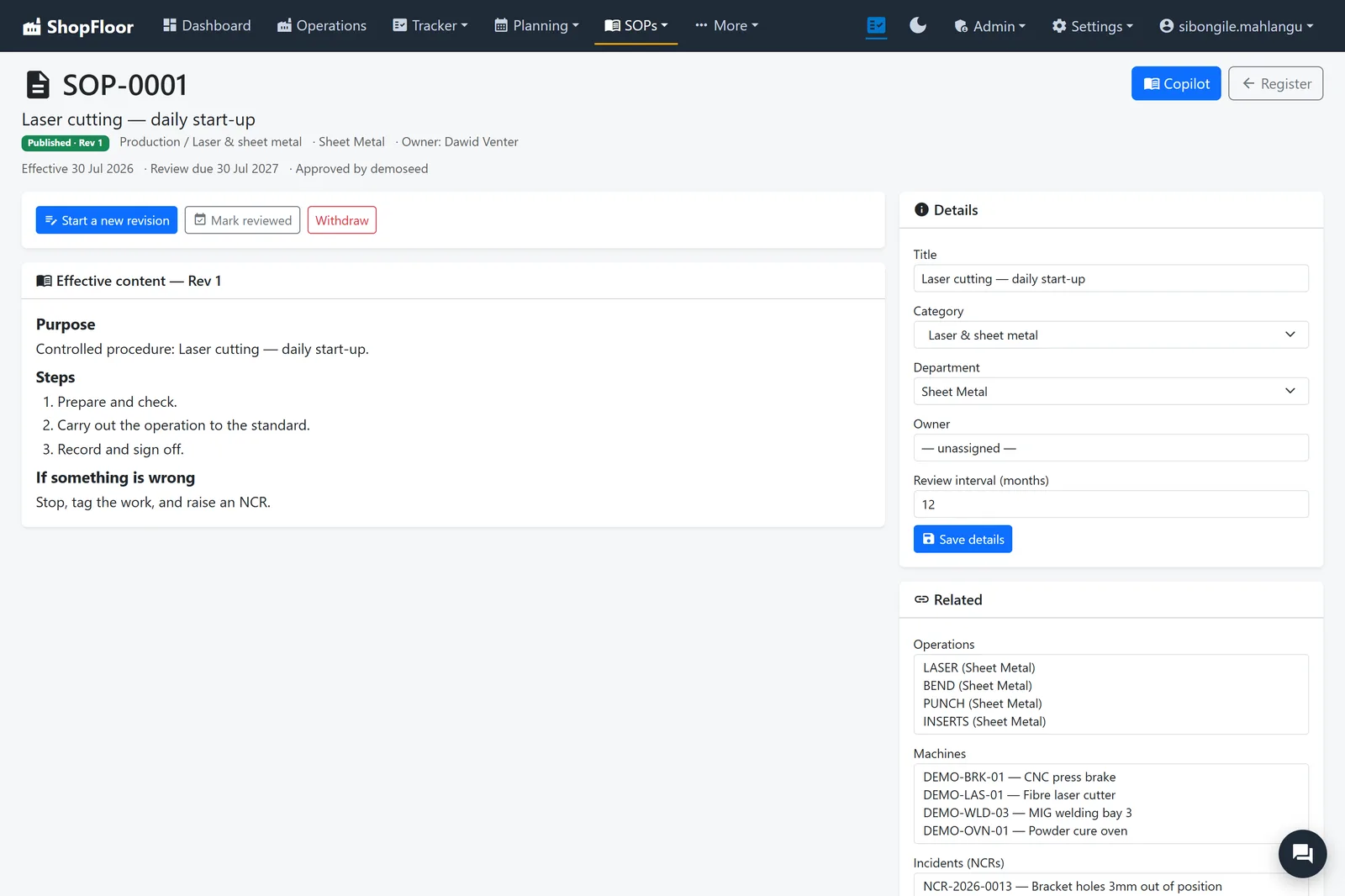
- SOPs with revisions: Draft, Approved, Published
- Procedures linked to the operations, machines and NCRs they cover
Machines that don't surprise you.
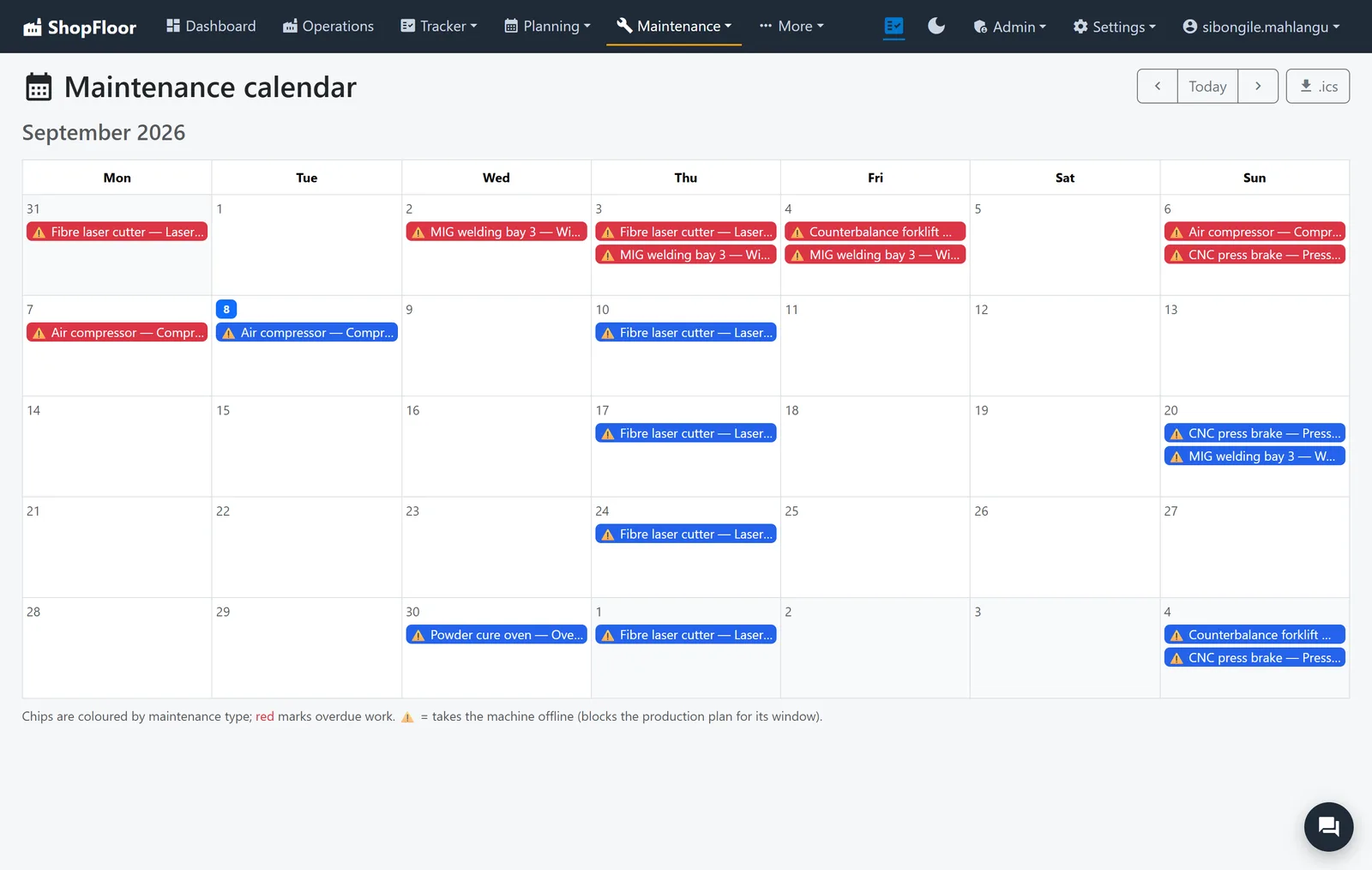
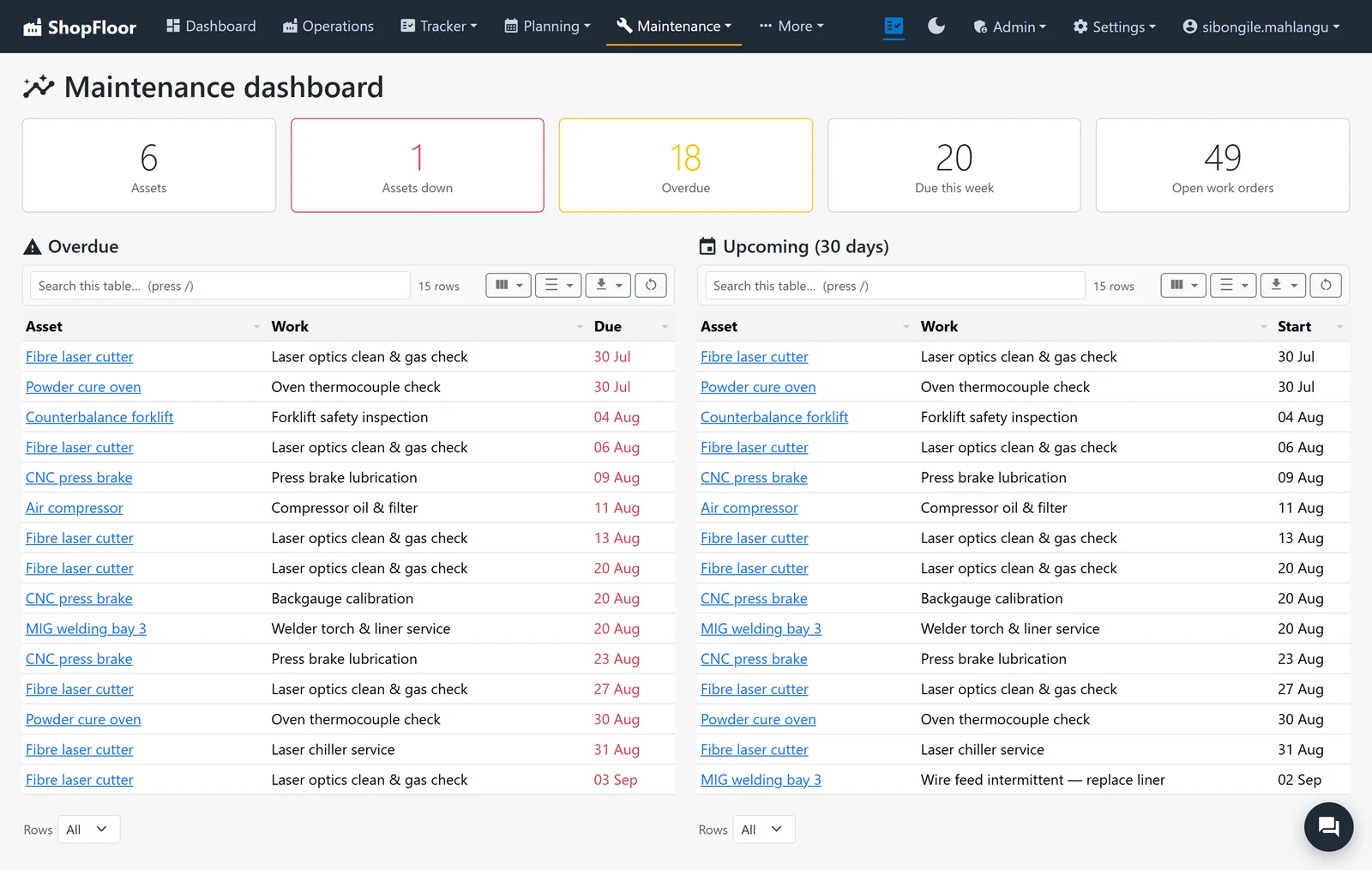
An asset register and maintenance plans that raise their own work orders, on a calendar everybody can see.
- Planned downtime blocks the production plan
- Spare parts on hand, and which machine uses them
- Sign-off sheets and evidence on each work order
- Raise an NCR straight from a machine
Everything around the work.
The parts of running a shop that never make the brochure, but take up a Tuesday afternoon.
People & HR
Employees, skills, leave and public holidays. Leave becomes a block on the plan.
Reports
PDF reports for every area, and custom reports on request from the assistants.
Scheduled email
The six numbers and what needs a person, in the owner's inbox every Monday at seven.
Grids that work
Search, filters, column choices, grouping, totals and saved views on the big lists.
Chat on the job
One-to-one and per-job chat, and who is on which page. It can be switched off.
Job files
Drawings and documents beside the job, including from a linked OneDrive folder.
Want to see it on your own jobs? Contact us for more details, and we'll walk you through it in a short online meeting.